Features · Questions
Ask about your spending the way you would ask a person.
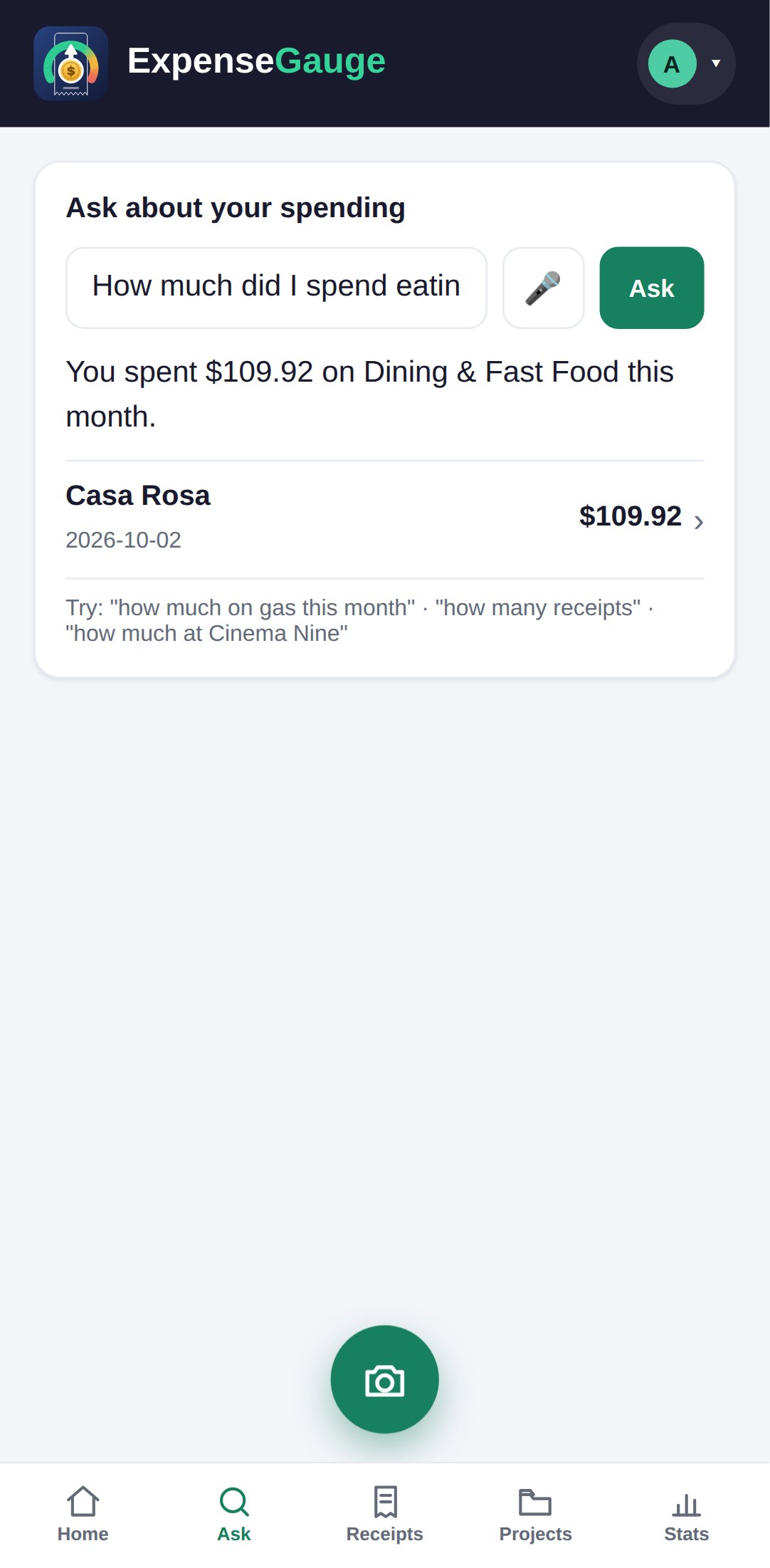
No report builder, no filters to set up. Type a question — or tap the microphone and say it — and the answer comes back as a sentence, with the receipts behind it underneath, each one a tap away.
No password. You sign in with a six-digit code sent to your email. The free plan is not a trial — see pricing.
What you can ask
The questions people actually have.
How much, and when
How much did I spend today? This week? Last month? Name a day or a period, or leave it out and get everything.
At one shop
How much at the bakery this year? The shop is found by name, however the slip printed it.
On one kind of thing
How much on groceries this month? On gas? Answered from the lines, not the receipt labels, so a supermarket run that included a drill is not all groceries.
What you bought
What did I buy yesterday? When did I last buy coffee beans? Every receipt keeps its lines, so the items can be asked about, not only the totals.
By shop or by category
Show my spending by store. Show my spending by category. A list, largest first.
In Telegram too
Ask the bot in the same words. The shortcuts /today, /week, /month, /stores and /categories ask the most common ones in a tap.
Your language
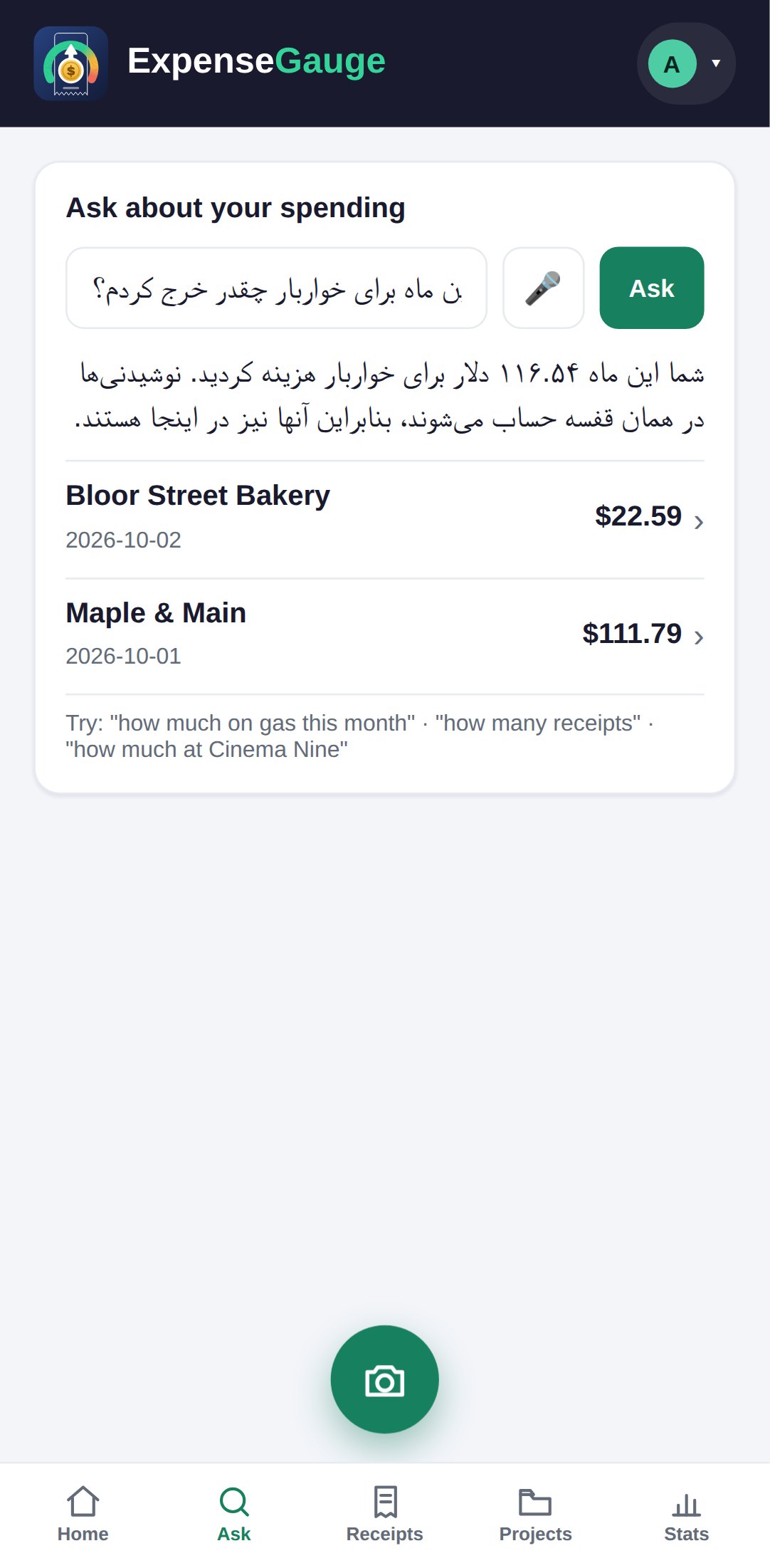
Ask in Persian, and the answer comes back in Persian.
A question is answered in the language it was asked in. Ask in Persian and you get a Persian sentence, laid out right to left on every phone, with the shop names left exactly as they were printed — so the answer and your receipts still match.
The receipts behind the figure are listed under the answer in every language. Tap one and it opens, with its photo and its lines.
Out loud
Or say it.
Tap the microphone beside the question box and ask. What you said is written back above the answer, so you can see it was understood. In Telegram, record a voice message and the answer comes back as text — and, if you ask for it to be read out, as a voice message too.
A sentence that is a purchase rather than a question — I spent twelve dollars on lunch — is not answered; it is written down as a receipt, the same as the bot does it. More on that on voice and Telegram.
Straight answers
Common questions
Where do the answers come from?
From your own receipts and statement lines, and nothing else. Each answer lists the receipts it was added up from, so every figure can be checked.
Can I ask in a language other than English?
Yes. A question asked in another language — Persian, for instance — is answered in the language it was asked in.
Can I ask by voice?
Yes. Tap the microphone on the Ask screen, or send a voice message to the Telegram bot. What you said is shown with the answer.
Are questions limited?
Each plan includes a number of questions a month, shown on your plan page. Past that, credit is used. See pricing.
Does it ever guess?
It answers from what is in your books. When a question cannot be answered from them, it says so instead of making a figure up.
Where next
Ask the first question.
Most people start with how much went on eating out last month. It is usually more than they thought.
Read next: The monthly budget · Voice and Telegram · Where the month went