Features
Everything ExpenseGauge does, one page each.
It starts with a photo of a receipt and ends with a straight answer about your month. Everything in between is here — each with the real screen it happens on, photographed from the app itself.
Every picture on these pages is a real screen of the app, taken from a household made up for the purpose: invented shops, real readings.
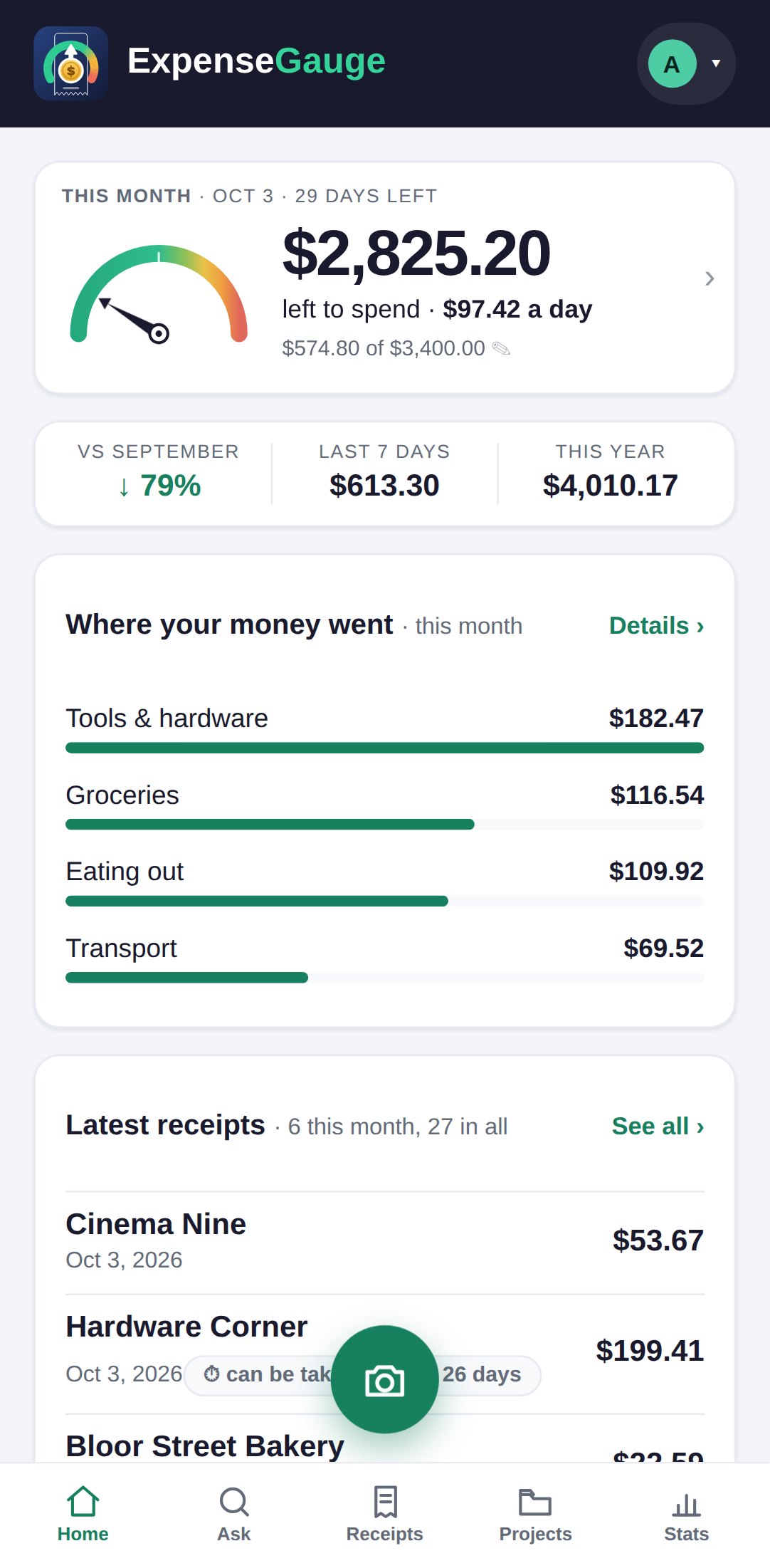
The features
Pick whichever one you came for.
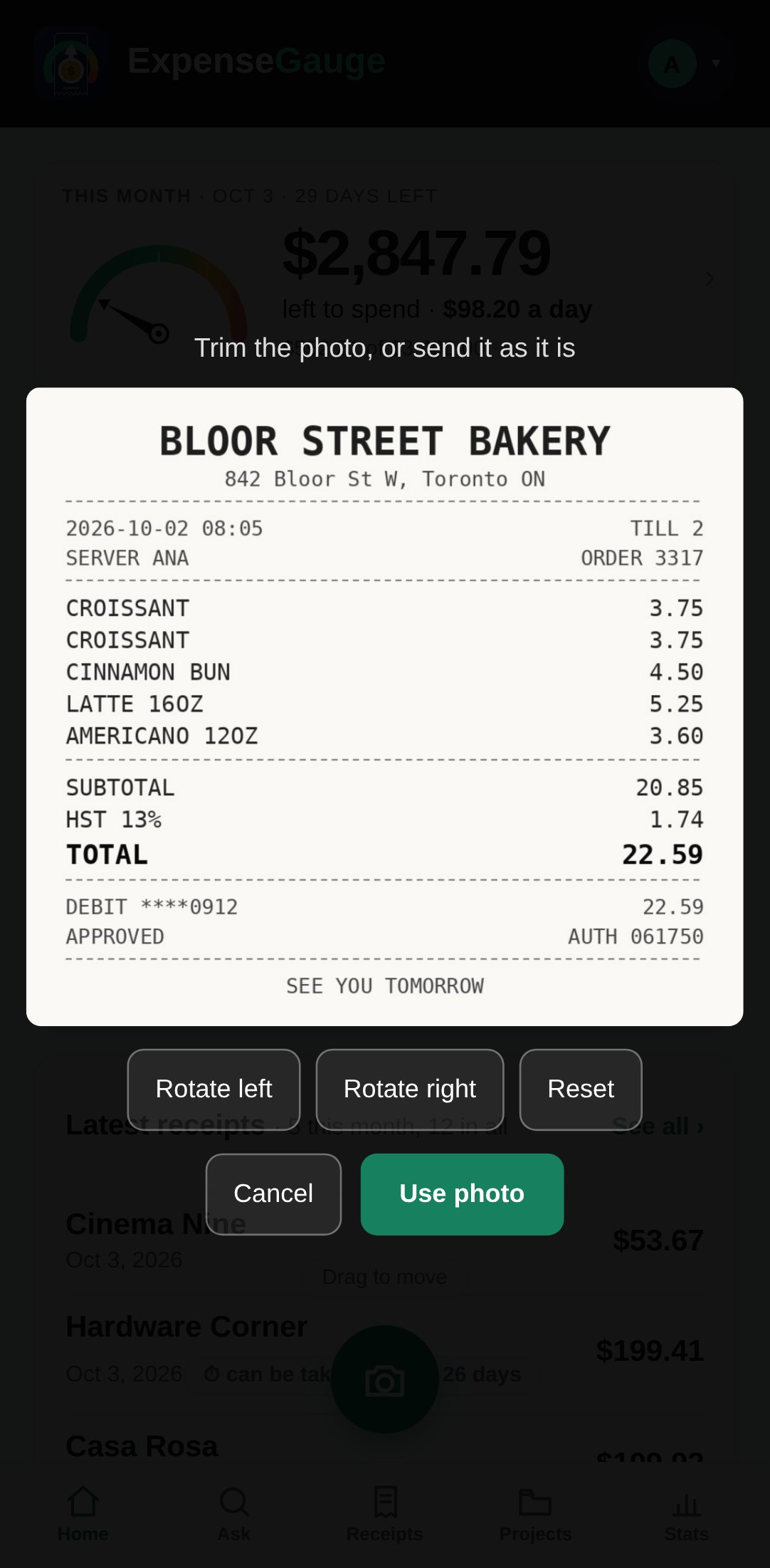
Receipt scanner that reads every line, not just the total
Photograph a receipt or send its PDF. The shop, the date, the tax and every line are read, sorted into pockets and checked against what the paper says.
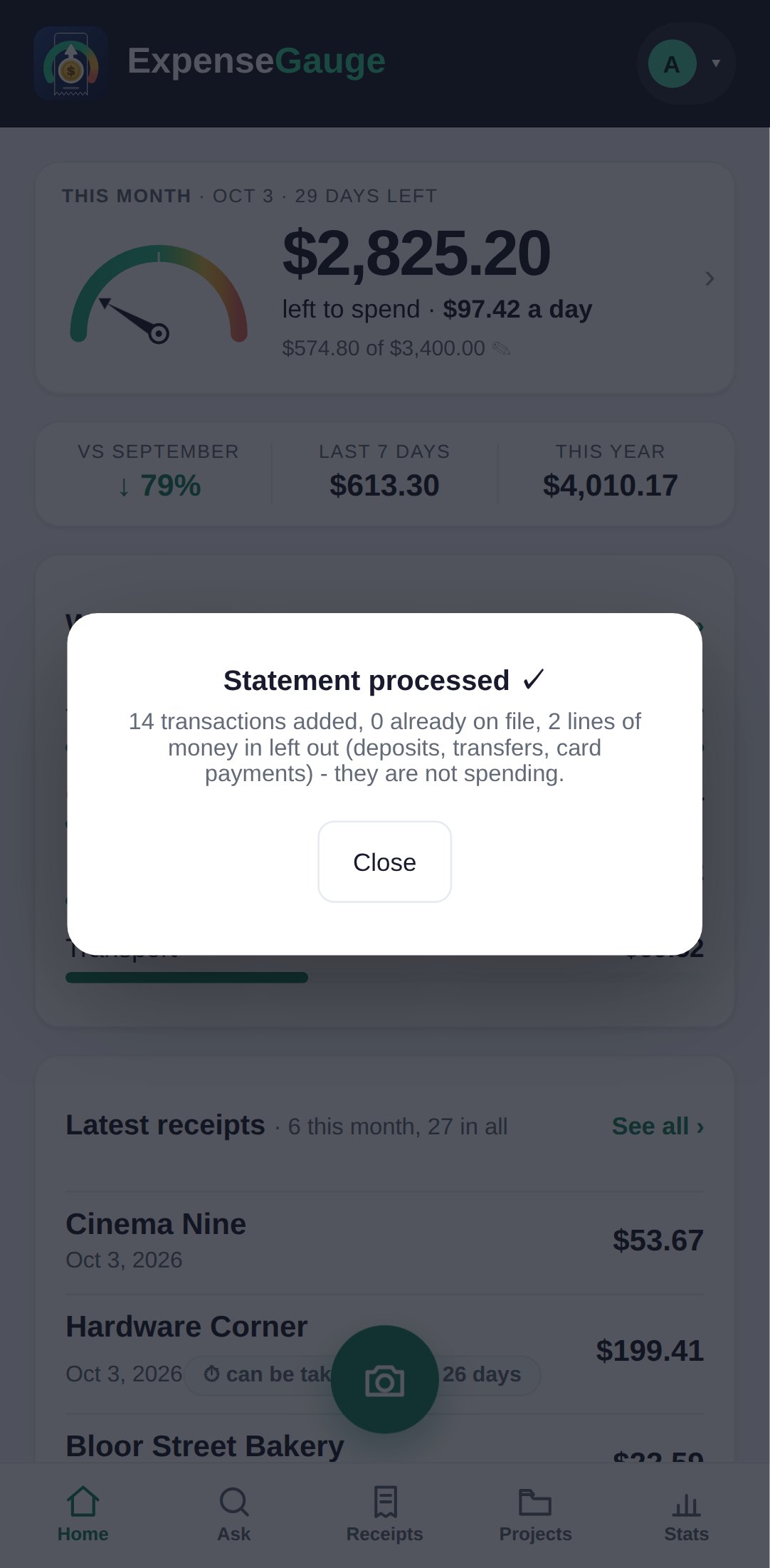
Bank and credit card statements, read line by line
Send a photo or the PDF of a bank or card statement. Every payment out becomes an entry, money coming in is left out, and nothing is added twice.
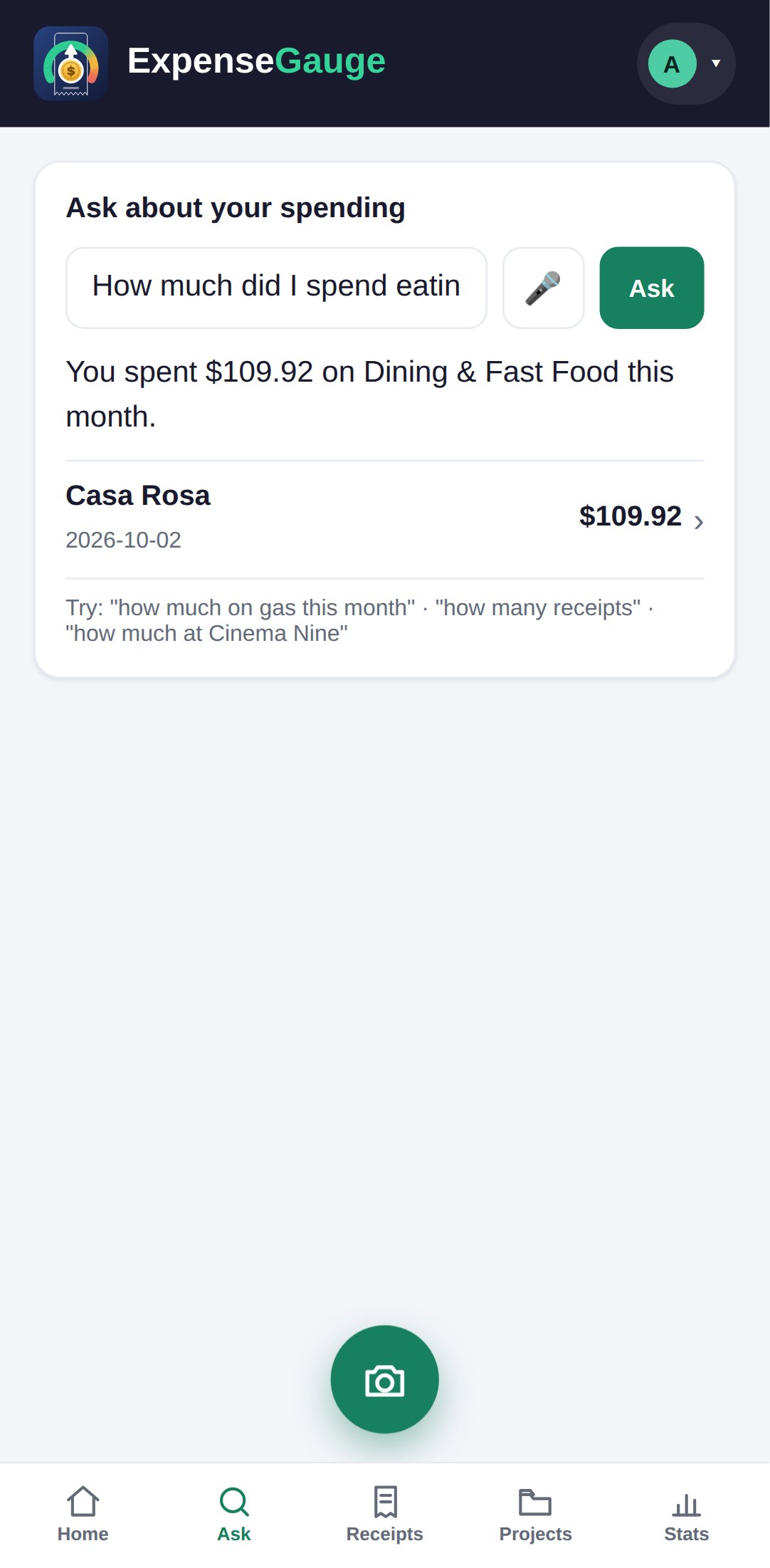
Ask about your spending in plain words, in your own language
How much did I spend eating out this month? Type it or say it, in English or in your own language, and get the figure with the receipts behind it.
A monthly budget that warns you before the month is over
Give the month a figure and see what is left, what that comes to a day, and whether your pace is heading past it, with every pocket of spending laid out.
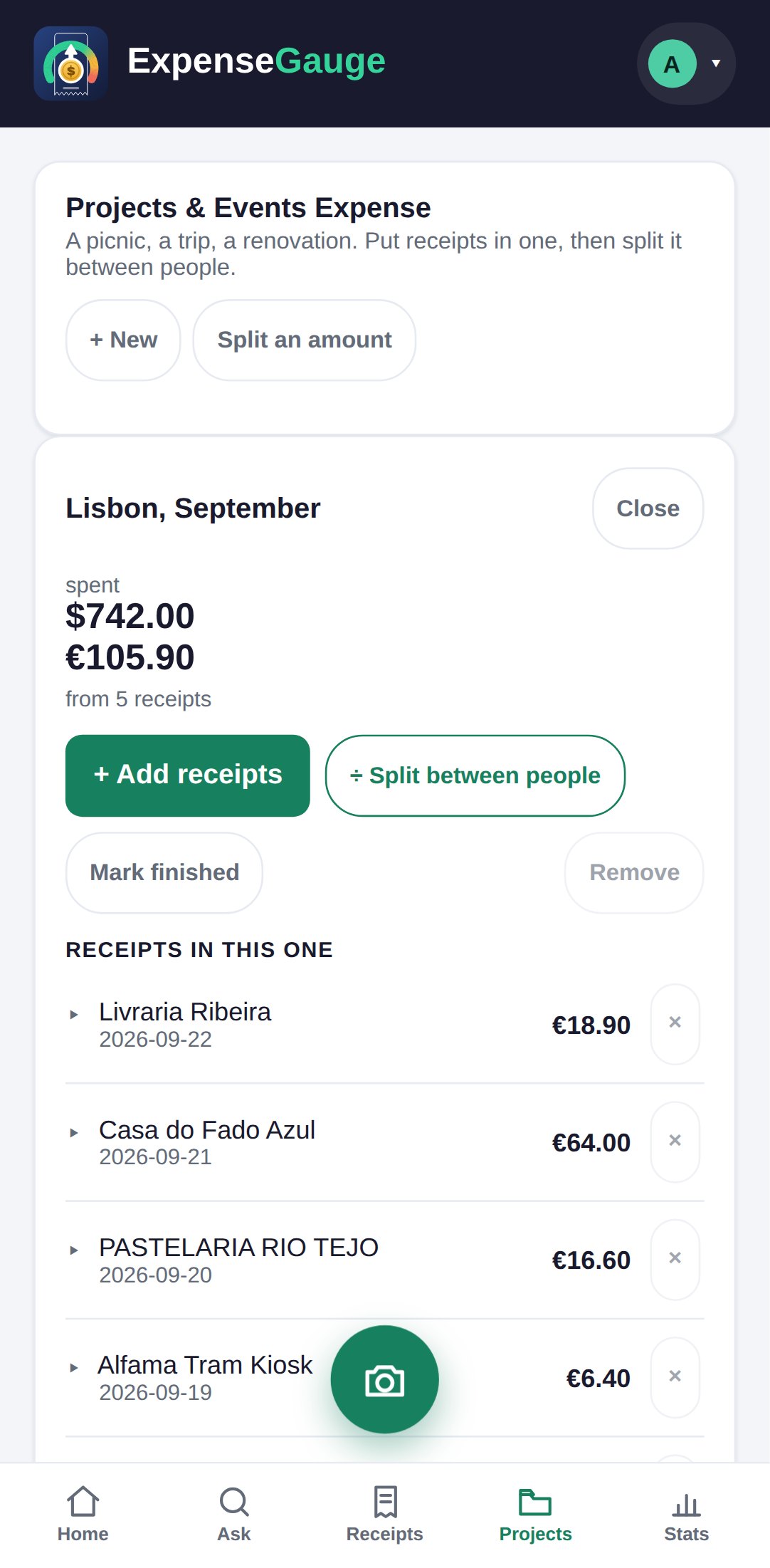
Trips, projects and events, with receipts in two currencies
Put a trip, a renovation or a party in a project of its own, with its own budget. Euros stay euros, and what the trip cost in each currency is plain to see.
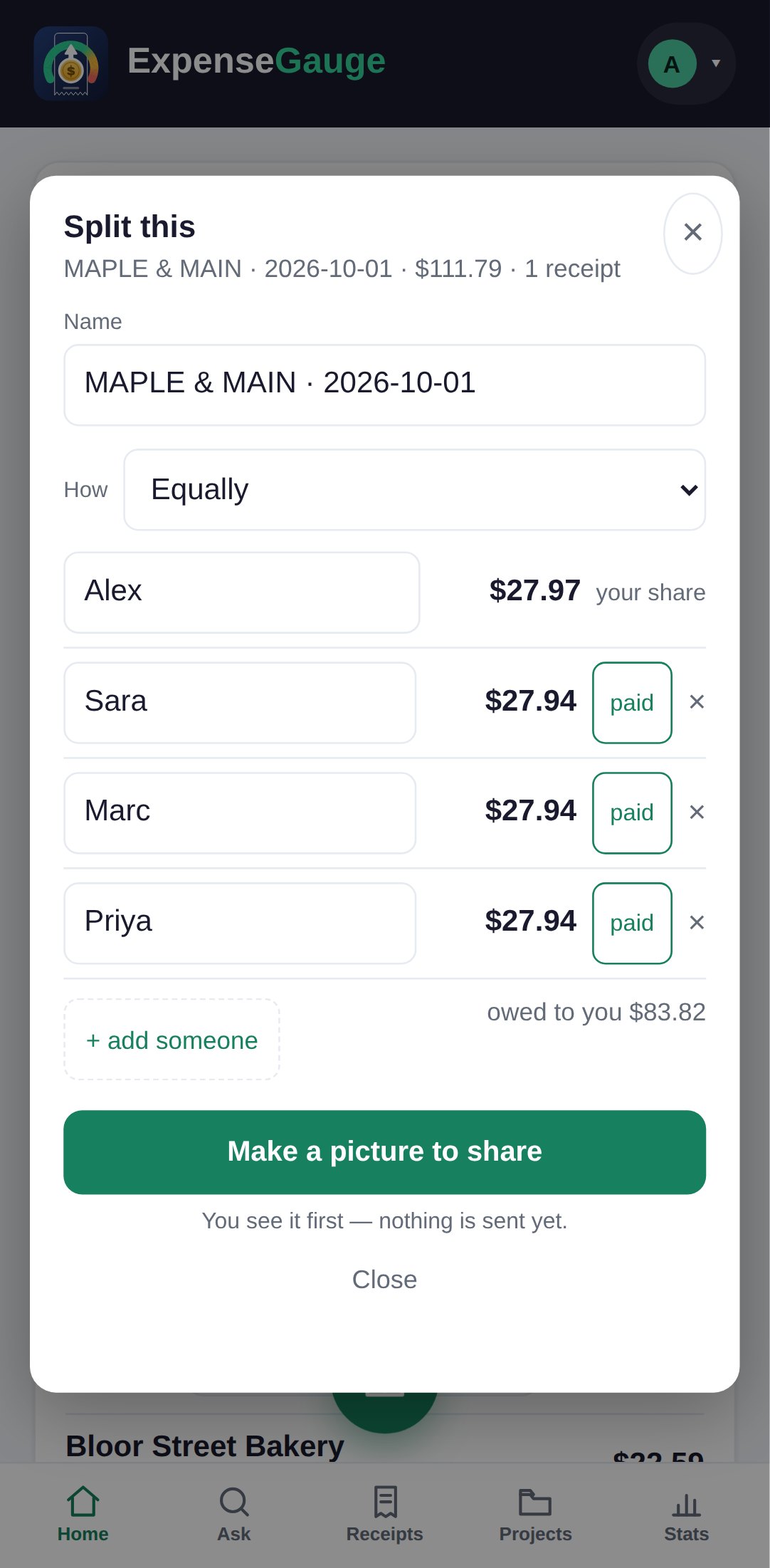
Split a receipt or a shared bill without anyone keeping score
Split a receipt equally, by shares or by fixed amounts, see who has paid you back, and share a clear picture of who owes what, item by item if you want.
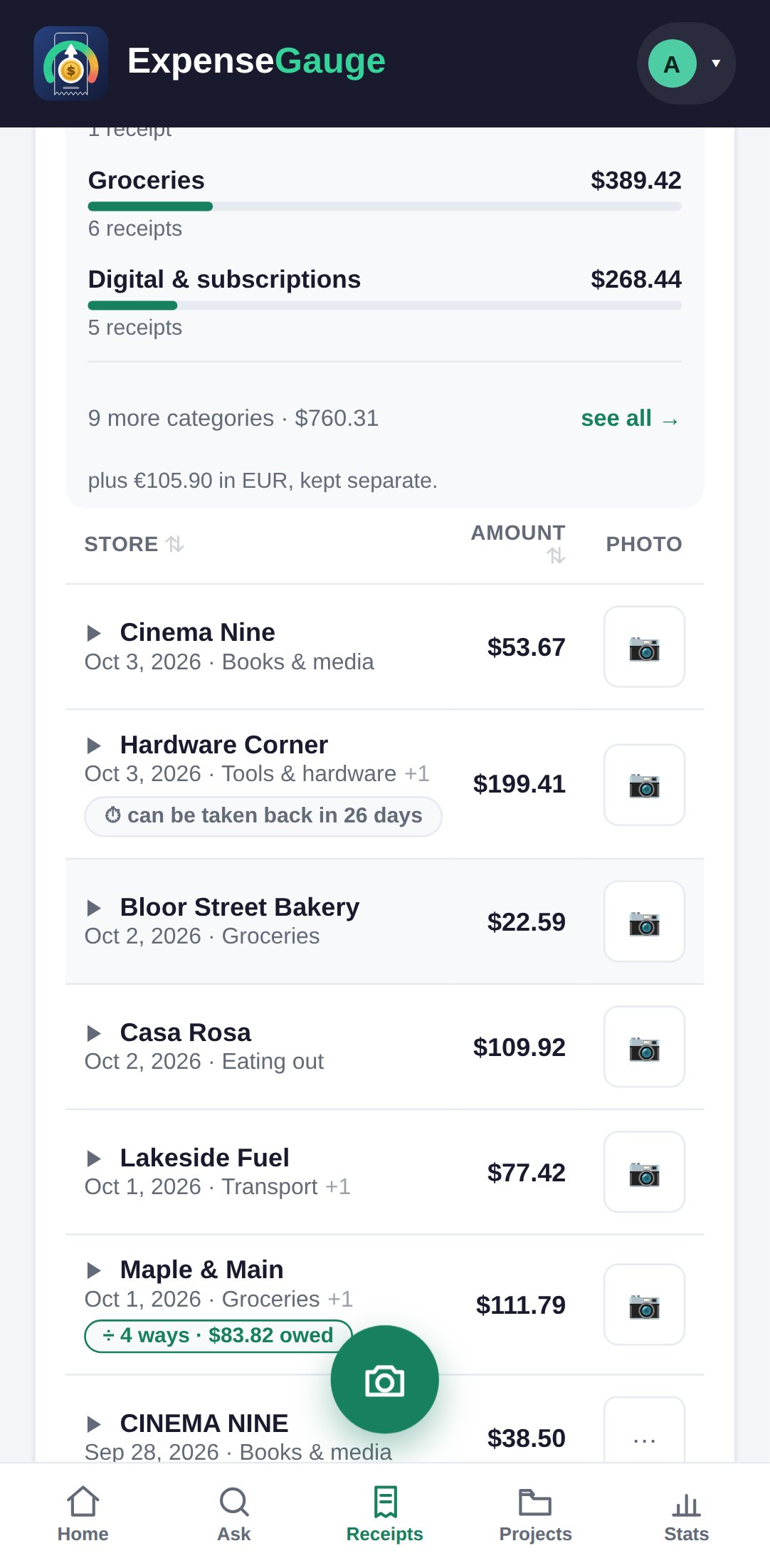
Return windows and warranties, counted down for you
Set the last day to take something back and the end of its warranty. The receipt counts the days down, so a return is not lost to the calendar.
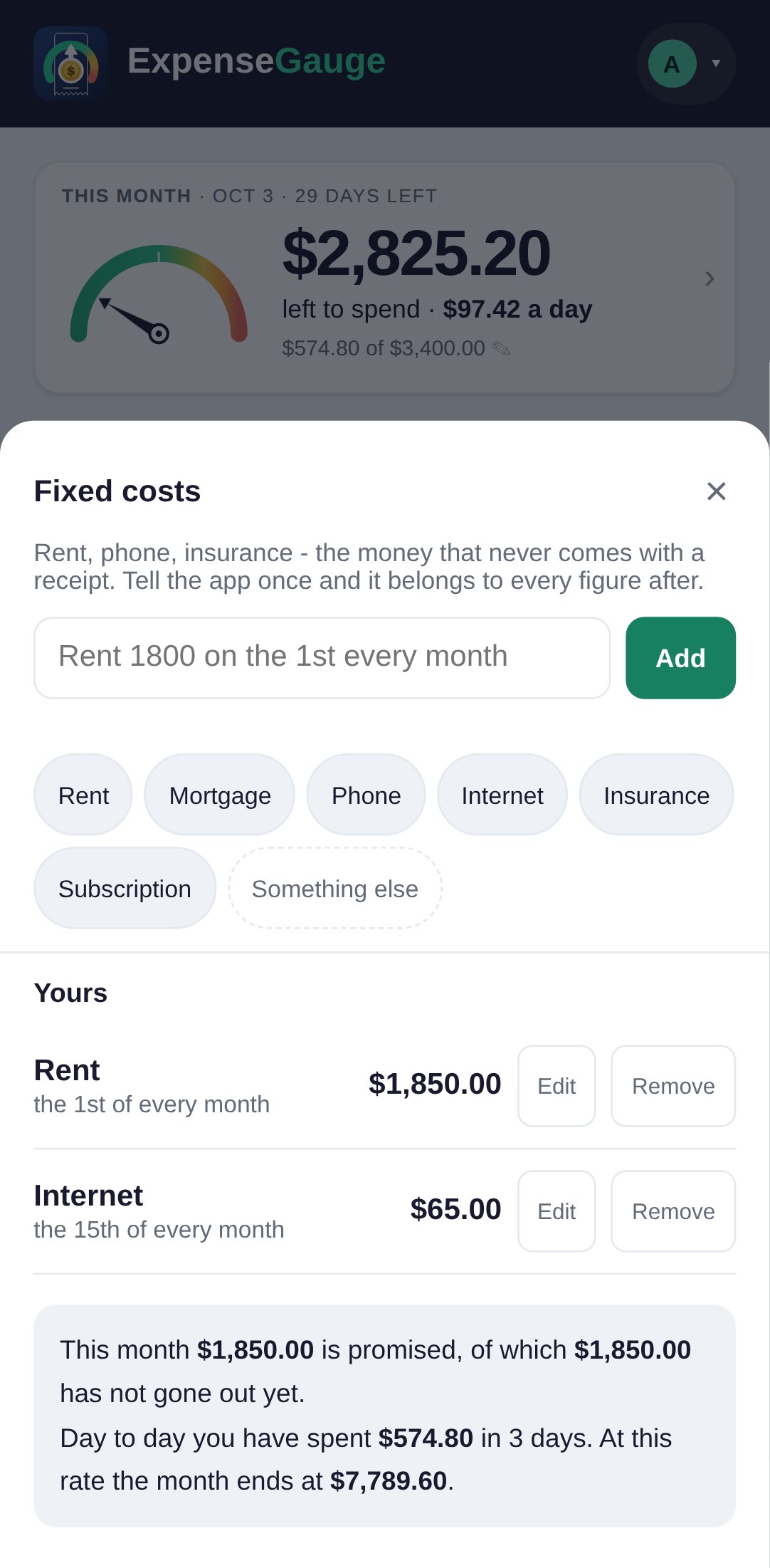
Rent, bills and subscriptions: the money that never has a receipt
Tell the app about rent, the phone bill or a subscription once, in one line, and it counts in every month it is due. It even spots the ones your receipts reveal.
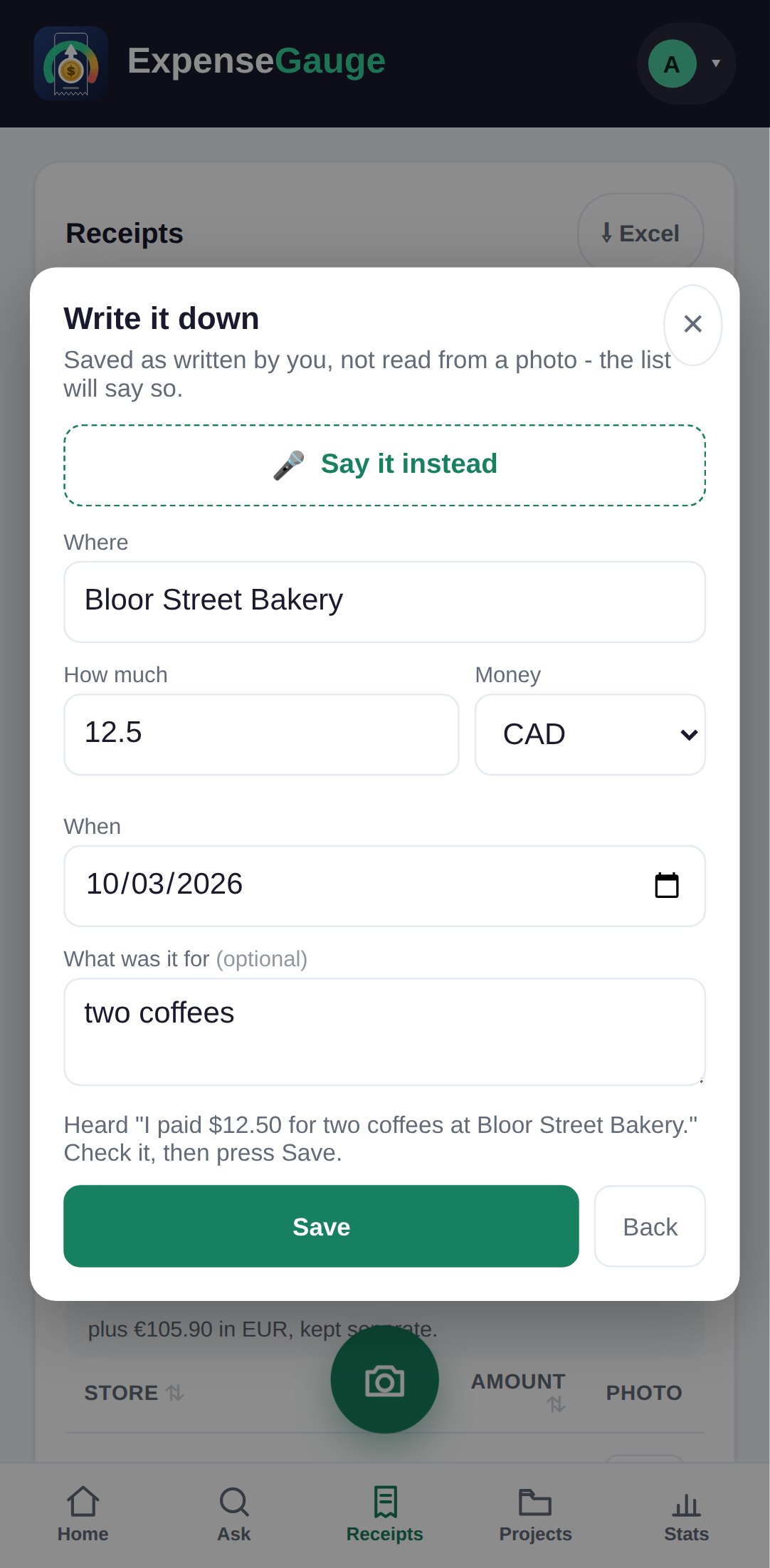
Add receipts by voice, or straight from Telegram
Say what you bought and the form fills itself in. Or skip the app: send a photo, a PDF, a typed line or a voice message to the Telegram bot.
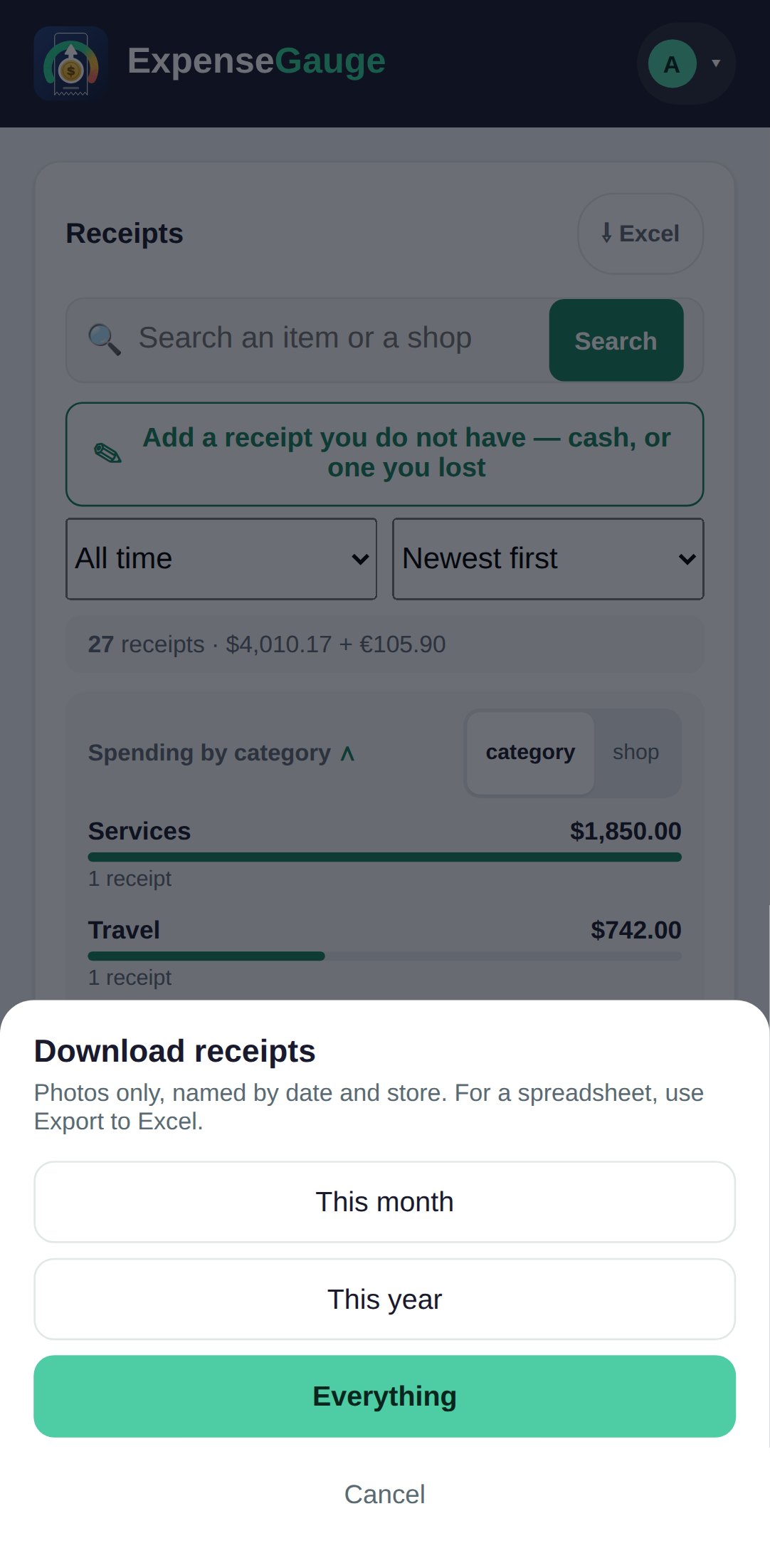
Export your receipts to Excel, with every photo alongside
Download a spreadsheet of exactly what your filters show, receipts on one sheet and items on another, and every receipt photo, named by date and shop.
Everywhere
And on every plan.
On your phone
It installs from the browser and opens like any other app from your home screen. There is nothing to download from a store.
In Telegram
Every feature that starts with a photo, a sentence or a question works from the Telegram bot too.
Private by design
One server, one cookie, and your receipts are never used to train anything. Read your data.
Help in the app
Ask the help assistant in your own words, or call it and talk. A person answers what it cannot.
Straight answers
Common questions
Is there a free plan?
Yes, and it is not a trial. What each plan includes, and what Plus adds, is on the pricing page.
Do I need to install anything?
No. It runs in your phone’s browser and can be added to your home screen like an app. The Telegram bot needs only Telegram.
Does it connect to my bank?
No. You send your statements as a photo or a PDF, so nothing ever has your banking password.
Which languages does it understand?
The app is in English. It reads receipts in other languages, Persian included, and answers a question in the language it was asked in.
Where next
Start with one receipt.
Photograph the next one in your wallet. Everything on these pages follows from it.