Features · Returns and warranties
Never miss the last day to take something back.
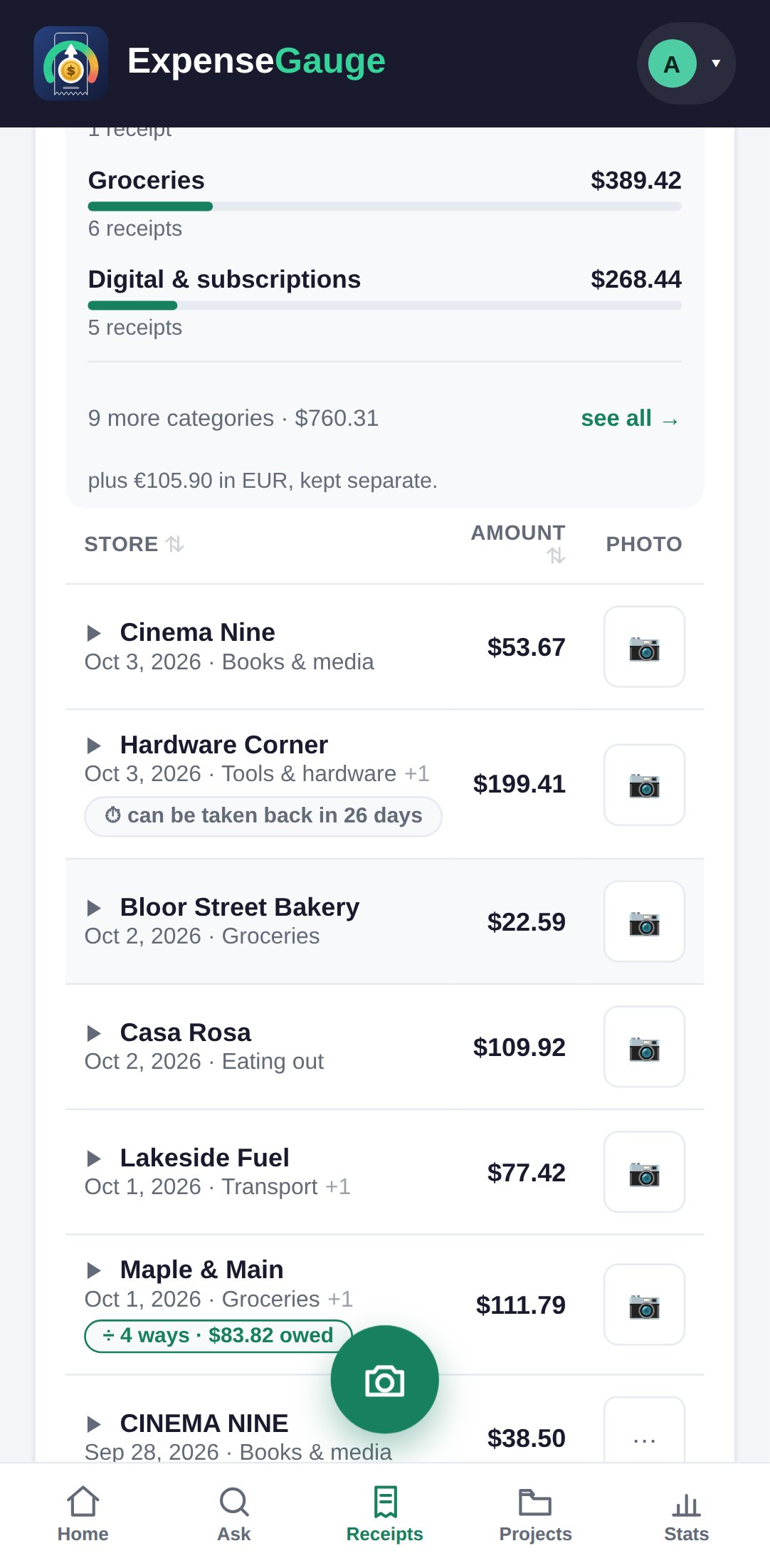
Most returns are lost to the calendar, not to the shop’s policy. Give a receipt the last day it can be returned and the day its warranty ends, and the list counts the days down where you will see them.
No password. You sign in with a six-digit code sent to your email. The free plan is not a trial — see pricing.
How it works
Two dates, set once.
Open the receipt
Any receipt, the day you buy the thing — the slip is in your hand and the policy is fresh.
Set the dates
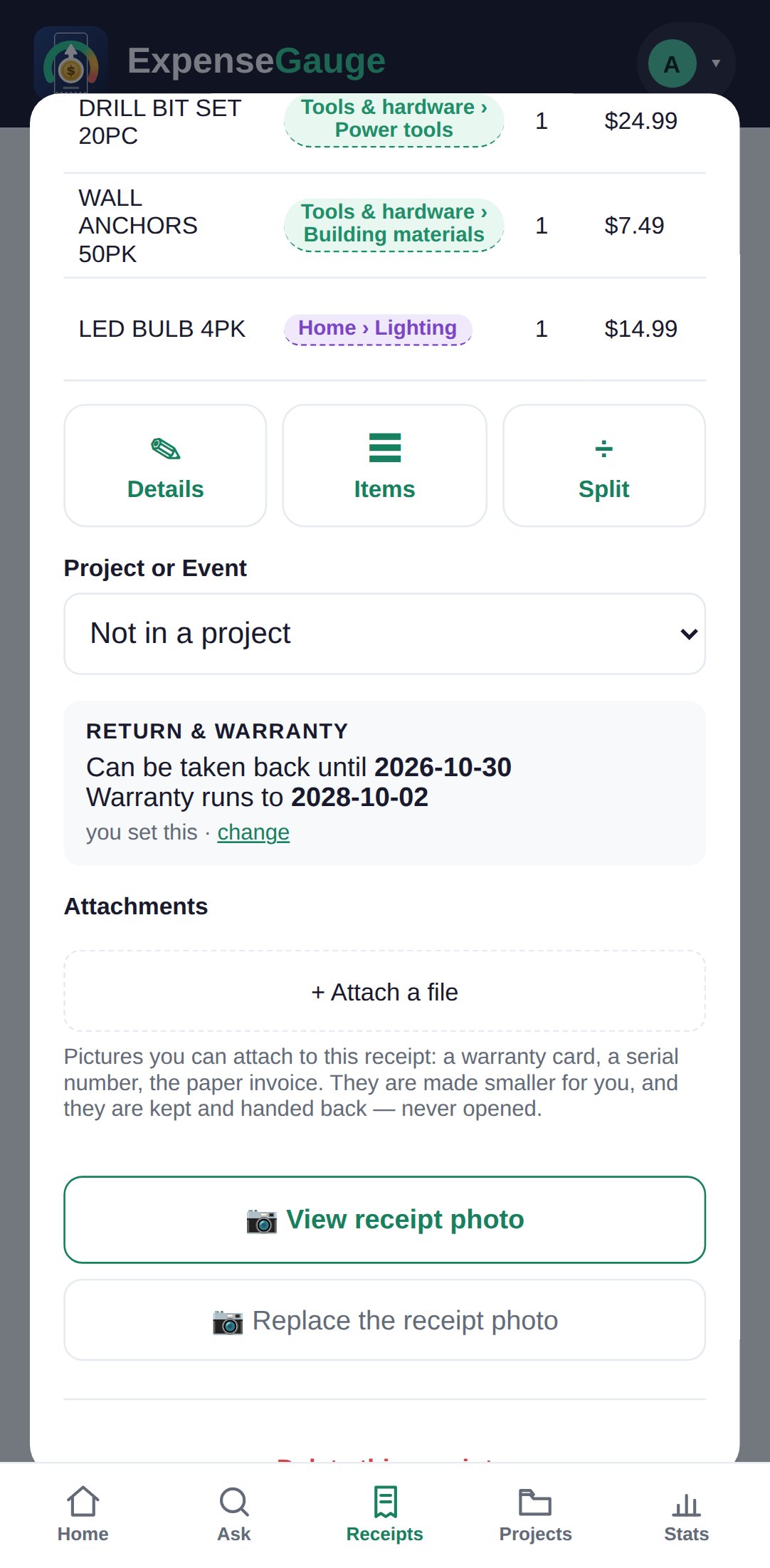
Under Return & warranty, set the last day to return it and the day the warranty ends. The receipt notes that you set them.
Watch the count
The receipt’s row says how many days are left to take it back, and the receipt keeps the warranty date for as long as you need it.
The proof, kept
When something breaks in the second year, the receipt is there.
A warranty claim needs the receipt, and by the second year the paper has usually faded or gone. Here the photo is kept with the dates, and so is anything you attach to it — the warranty card, a serial number, the invoice.
The app never invents a date. Policies differ by shop and by item, and a wrong date is worse than none, so every date on a receipt is one you chose.
Straight answers
Common questions
How do I track a return window?
Open the receipt and set the last day to return it under Return & warranty. The receipts list then shows how many days are left.
Can I keep the warranty card with the receipt?
Yes. Attach the warranty card, a serial number or the invoice to the receipt itself. They are kept with the photo.
Why does it not take the return policy off the receipt?
Because nearly every slip prints one. Filing it from the paper would put a countdown on every pint of milk. You set the dates on the purchases that matter, and those are the ones that count down.
What if I already threw the receipt away?
Write the purchase down with the date and amount and set the dates on it. Without the paper the shop may still ask for proof, so photograph receipts on the day.
Where next
Set the dates on the next big purchase.
A drill, a coat, a phone. Two dates today save a trip to the shop for nothing.
Read next: Returning something you bought · How long to keep a receipt · The receipt scanner