Features · Reading receipts
A receipt scanner that reads every line, not just the total.
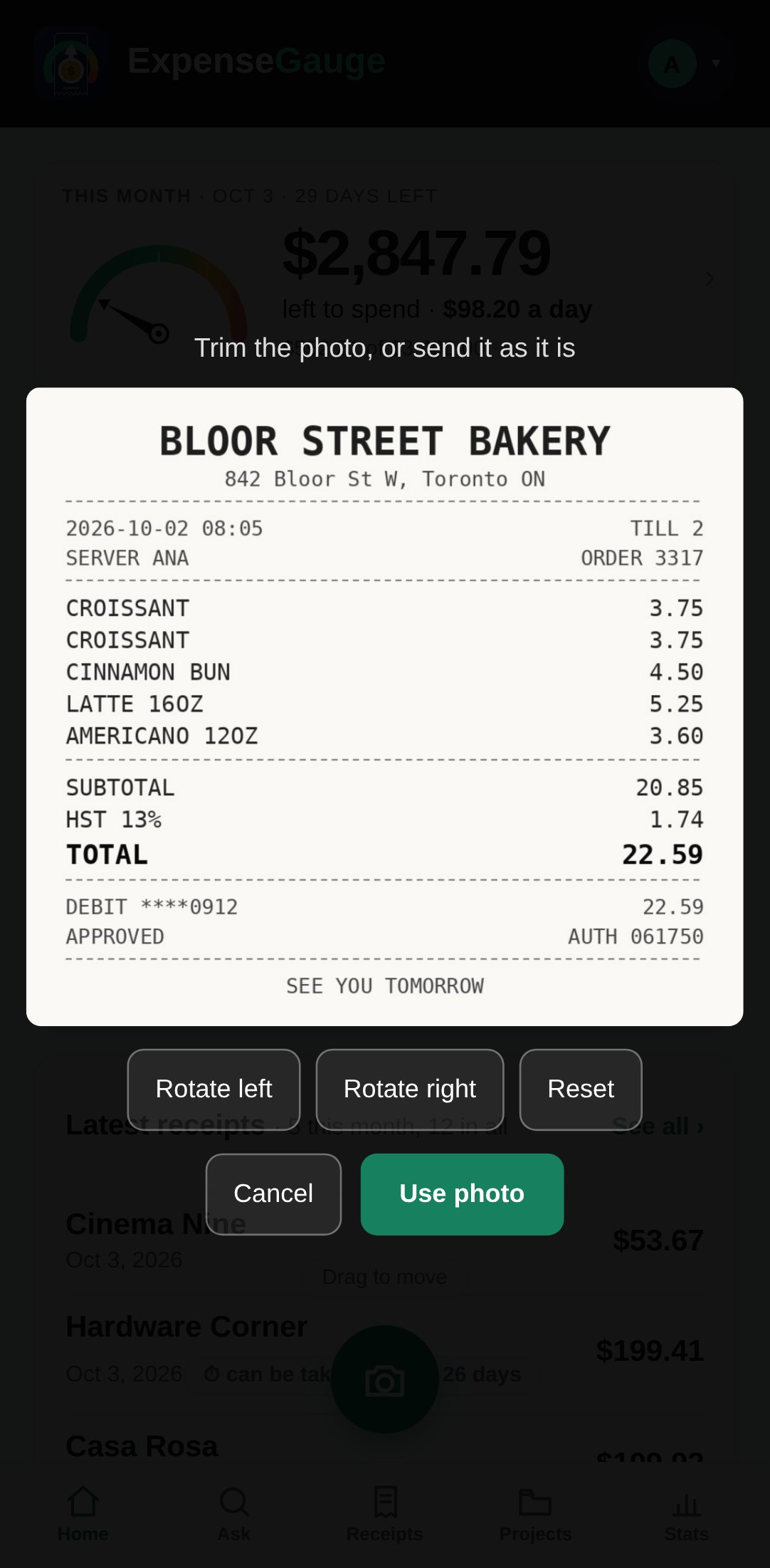
Photograph the slip, trim it if you like, and that is the whole job. The shop, the date, the time, the tax and every single line come back — each line filed where the money actually went, and the lot checked against the total the shop printed.
No password. You sign in with a six-digit code sent to your email. The free plan is not a trial — see pricing.
How it works
Three steps, and you only do the first.
Photograph it, or send the PDF
Use the camera button in the app, pick a photo you already took, or send the PDF a shop emailed you. A long receipt on two pages is one receipt. A photo from an iPhone in its own format is read the same as any other.
Every line is read
The shop, the date and time it was printed, the subtotal, the tax, the tip, the discounts and every line with its price. Money printed in another currency stays in that currency. A Persian receipt with an Iranian calendar date is read as one, too.
Each line goes where the money went
A supermarket trip is rarely one kind of spending. Milk goes to groceries, dish soap to household, a drill to tools — line by line, not one label for the whole slip.
Checked, not trusted
The lines are added up against what the paper says.
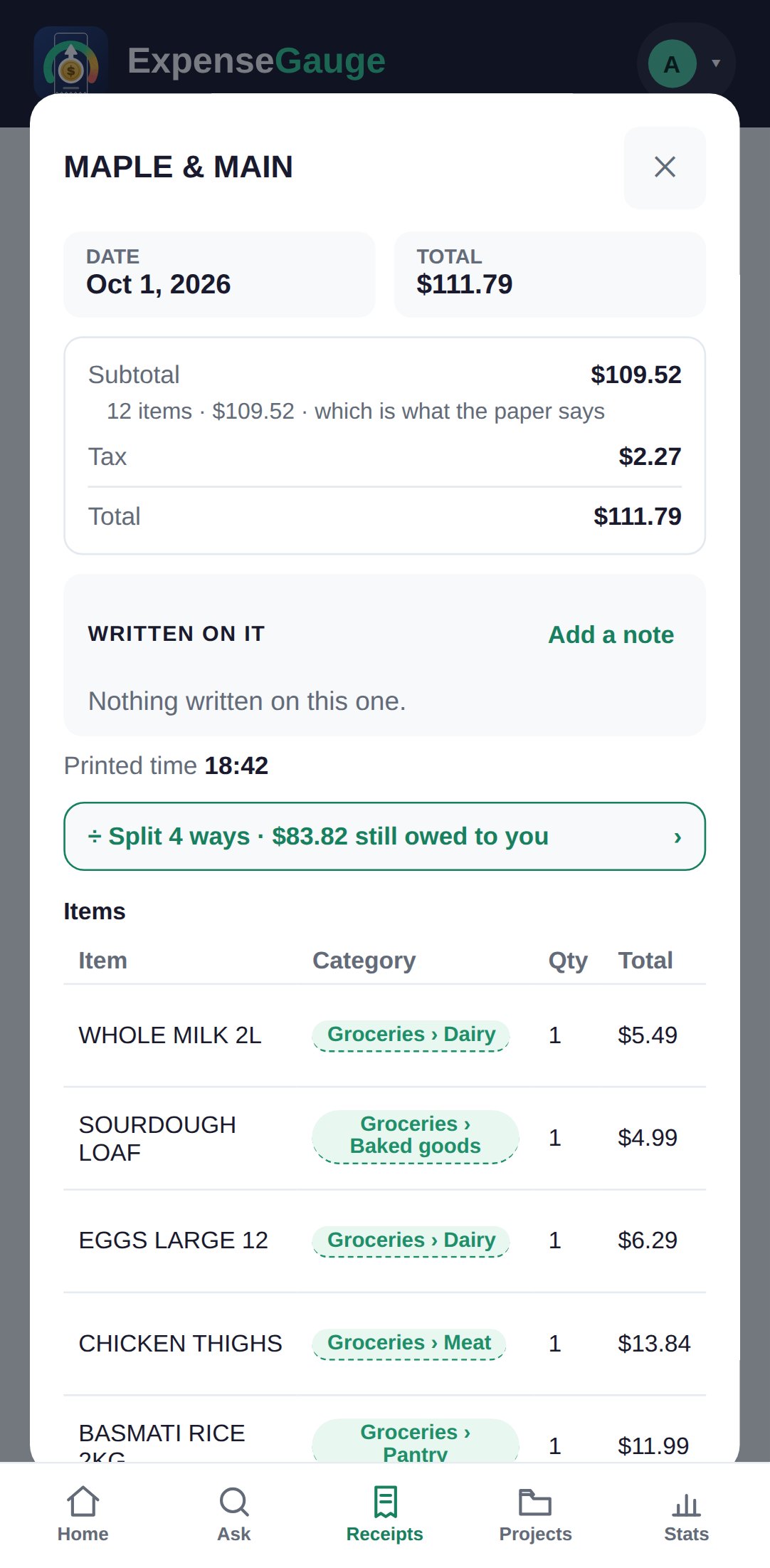
A total that does not match its own lines is the commonest way a receipt app quietly goes wrong. So the lines are added up and held against the printed subtotal and total. When they agree the receipt says so — 12 items · $109.52 · which is what the paper says. When they do not, it tells you on the receipt itself, the moment you look, instead of hiding the difference somewhere in your month.
A refund slip counts as money coming back, not as another purchase. A card slip that only shows a tip is offered to the receipt it belongs to. And the same slip photographed twice is recognised as a slip already on file rather than counted twice.
What comes with every receipt
Kept with it, found again in seconds.
The photo itself
The picture or the PDF is kept with the receipt, so the paper can go in the bin and the proof does not.
A note in your own words
What it was for, who it was with, the order number — written on the receipt, searchable later.
Files that belong to it
A warranty card, a serial number, the invoice for a big purchase: attach them to the receipt they belong to.
Search by item or shop
Search for what you bought, not only where. Coffee beans finds the receipt with coffee beans on it.
Written down instead
Cash with no slip, or a slip you lost: write it down in a few words, or say it. It is marked as written by you, not read from paper.
Straight from Telegram
Send the photo to the bot instead of opening the app. It lands in the same books.
Straight answers
Common questions
What can it read?
A photo of a paper receipt, a photo taken on an iPhone in its own format, or a PDF — including a receipt that runs to more than one page. It reads the shop, the date, the time, the subtotal, the tax, the tip, the discounts and every line with its price.
What if the photo is creased or taken in bad light?
That is the normal case. Lay the slip flat, get the whole thing in the frame including the total, and avoid glare. If a receipt is still read wrong, open it and correct the shop, the date, the total or any line yourself.
Does it read receipts in other currencies and languages?
Yes. A receipt keeps the currency it was printed in, and a Persian receipt dated by the Iranian calendar is read as such. Totals in different currencies are never added together.
What happens if I send the same receipt twice?
It is recognised as already on file and is not counted again. If the earlier one is in your trash, you are told that instead.
Can I fix a receipt that was read wrong?
Yes. Open it and use Details for the shop, the date, the total and the category, or Items for the lines. If the lines stop adding up to the total, the receipt tells you, and you decide.
Is the photo used to train anything?
No. The image is sent to the reading model only to be read, and it is kept on our server for your account alone. The full detail is on your data.
Where next
Start with one receipt.
The next one in your wallet will do. Photograph it, and see what comes back.
Read next: Bank statements · The monthly budget · Receipts that fade