Features · Statements
The spending that never came with a receipt, read off your statement.
A receipt app sees only the receipts. Rent, the gas bill, a subscription and the coffee you tapped for never hand you a slip. Send the statement — a photo of the page or the PDF from your bank — and every payment on it lands in your books.
No password. You sign in with a six-digit code sent to your email. The free plan is not a trial — see pricing.
How it works
Send it the way you send a receipt.
A photo or the PDF
The same camera button, the same Telegram bot. A statement is recognised as a statement on its own — you do not have to say which it is.
Every payment becomes an entry
Each line with a shop, a date and an amount is its own entry, dated the day it was paid. The bank’s own words in front of a name — POS PURCHASE, PRE-AUTH, RECURRING — are left off, so a shop is called by its name.
Only spending is counted
A salary deposit or a transfer you received is not spending, so it is not filed. Neither is money you move to an account of your own, or a payment that bounced and came back — that one is left out together with the money that came back, while the bank’s fee for it is counted. A shop giving money back is kept as a refund, and comes off what you spent.
A payment from your bank account to your credit card is not counted either: what you bought with the card is on the card’s own statement. Send each card’s statement separately, and those purchases are counted once.
Nothing twice
A line that is already on file stays one line.
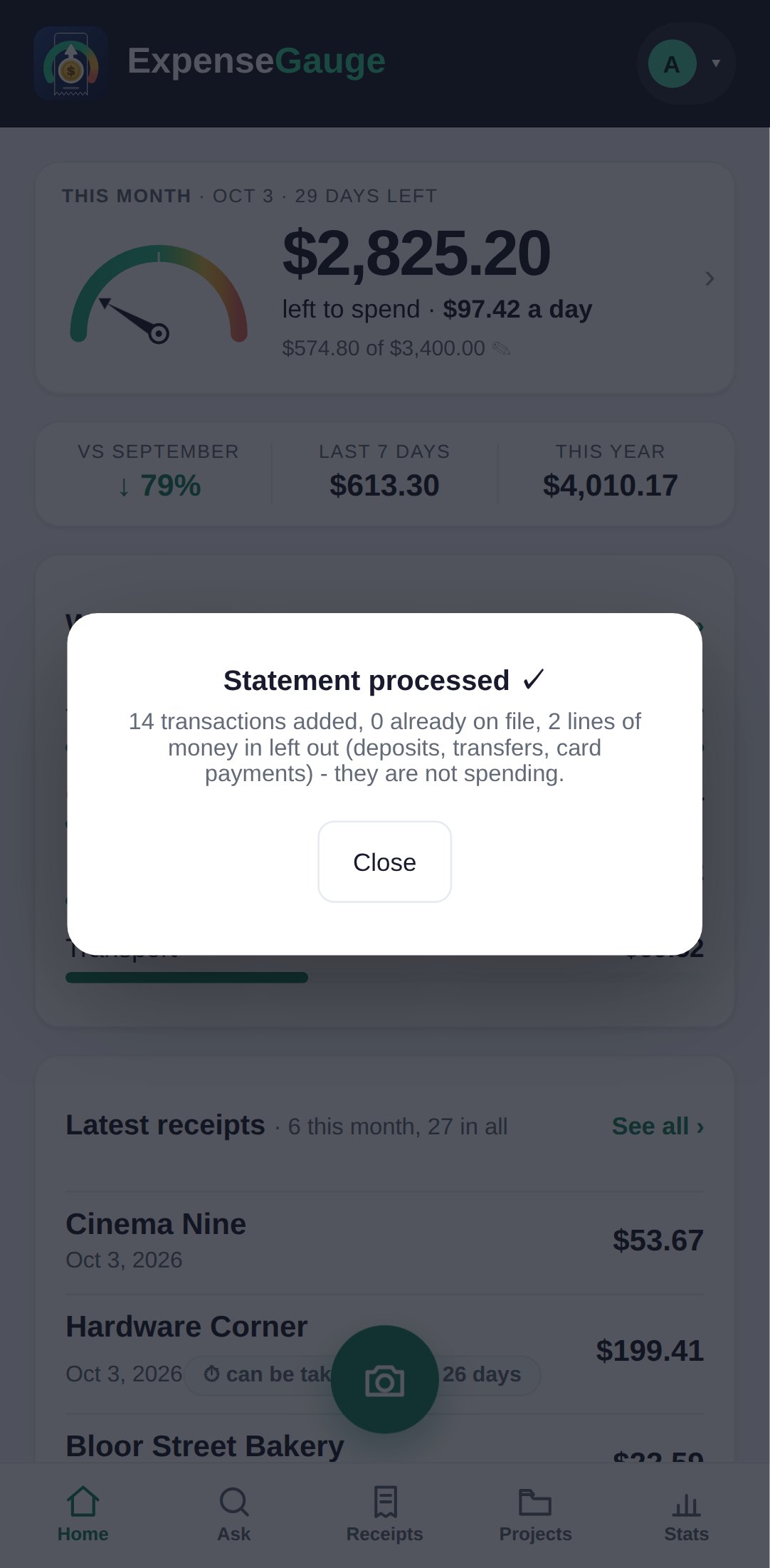
Statements overlap: this month’s page repeats the last days of the one before, and the purchase you photographed at the till is also on the statement. A line that matches one already in your books is recognised and not added again — and the card says how many were already there, so you can see it happen.
That means a statement can be sent again safely. If you sent one before your plan had room for every line, sending it again later adds only the lines that are missing.
Worth knowing
The details that make it trustworthy.
Counted by the line
A statement is counted by the lines it adds, not as one receipt. Your plan page shows how many lines your plan includes each month.
Credit card or chequing
Both read the same way. The card or account it came from is kept with each line, as far as the statement prints it.
Never an invented line
Only what is printed is filed. Opening and closing balances, running balances and the minimum-payment box are not transactions and are ignored.
Your currency
Each line keeps the currency the statement is printed in, unless a line prints a different one beside it.
Straight answers
Common questions
Which banks does it work with?
Any bank or card whose statement shows dated lines with a merchant and an amount. Nothing connects to your bank: you send the page, so nothing has your banking password and nothing pulls from your account.
Is a deposit counted as spending?
No. Money coming into the account — a salary or a transfer you received — is left out, and the card says how many such lines there were. A refund from a shop is kept, as money back.
Why is the payment to my credit card not counted?
Because the money was spent with the card, not with the payment. The purchases are on the credit card’s own statement: send that statement separately, one for each card, and every purchase on it is counted — once. Counting the payment as well would count the same money twice.
What about money I send to people?
An e-transfer to somebody is counted as spending — rent, a babysitter, a share of a bill. Money to an account in your own name is left out. When a statement has transfers to people the app has not seen before, it asks once, in one short list, whether any of them is an account of your own, and remembers the answer.
What if a purchase is on my statement and I photographed its receipt too?
The statement line is recognised as already on file and is not added a second time. You keep the receipt with its lines, and the books count it once.
Can it connect to my bank automatically?
Not today. There is no live bank feed: you send the statement as a photo or a PDF, which also means nobody but you ever touches your bank login.
Can I send the same statement twice?
Yes, and nothing is doubled. Lines already on file are recognised and skipped; only lines that are missing are added.
Where next
Put the whole month in.
Receipts show the detail. The statement fills in everything that never came with paper.
Read next: The receipt scanner · Fixed costs · Where the month went