Features · Business
Your business, kept apart from your own money.
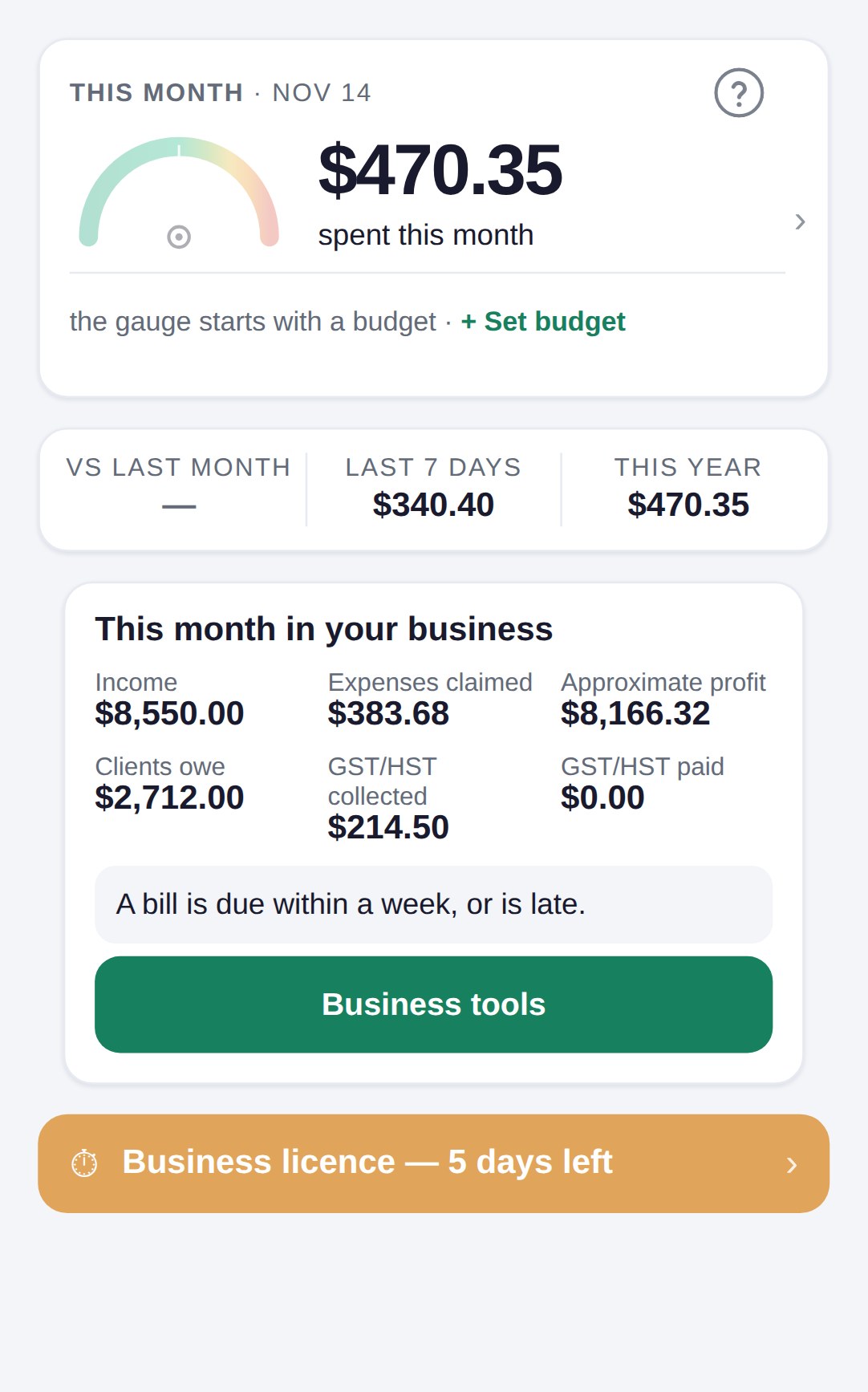
A business book sits beside your personal one, in the same account. Receipts go into whichever book is open. The business gets its own income, invoices, trips and a year report on the lines of form T2125.
No password. You sign in with a six-digit code sent to your email. See pricing for what each plan holds.
How it works
Make the book, fill it as you go, hand over the year.
Make a business book
Tap the name of the book at the top, then Add a business book, and give it the name of your business. You can keep up to five.
Fill it as you go
Receipts you photograph go into the open book. Write down what came in, make invoices and quotes, and log each business trip.
Hand over the year
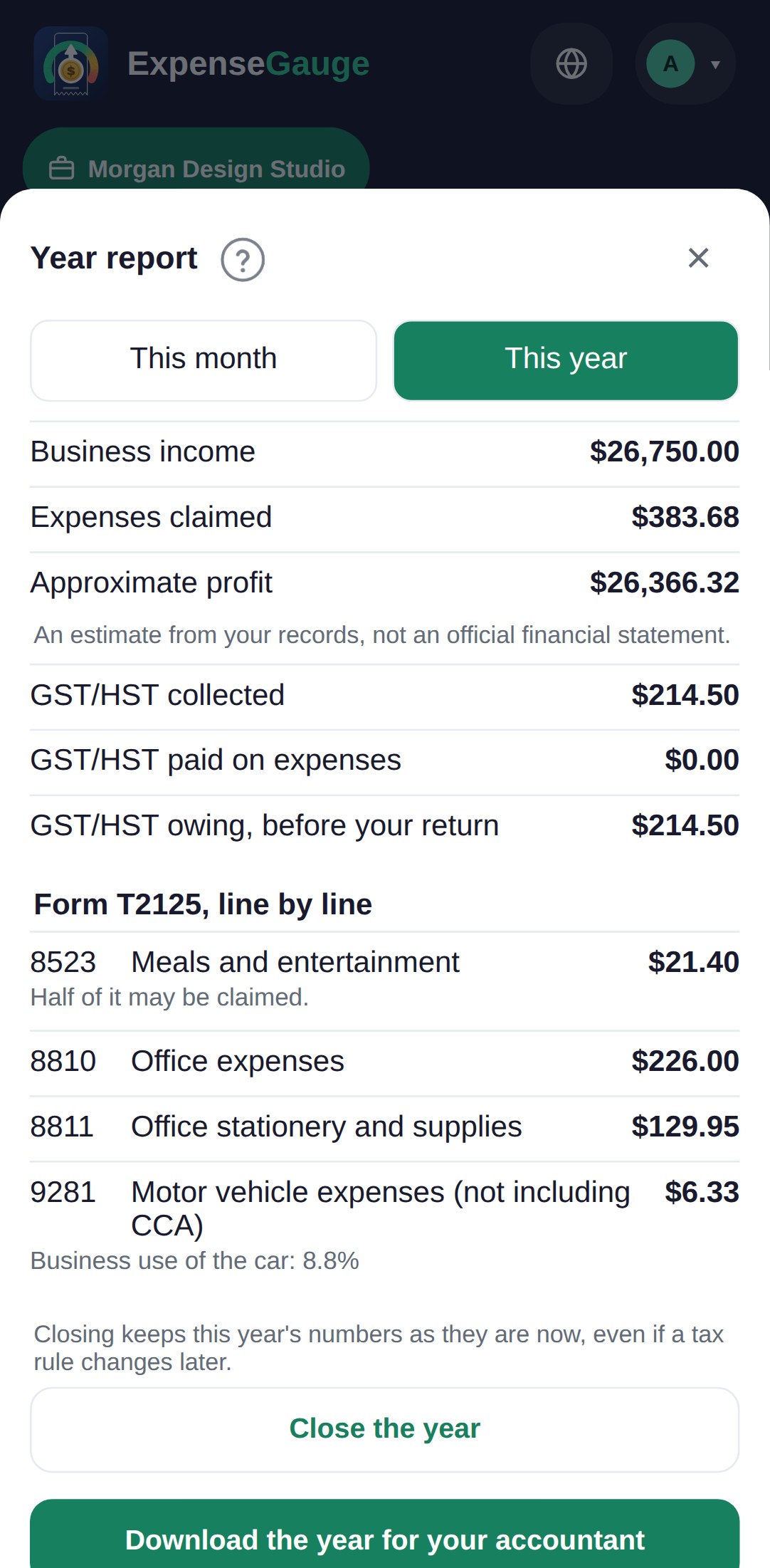
The year report puts every expense on its line of form T2125. One file holds the report, a spreadsheet of every row and the photos, for your accountant.
The year report
Every receipt on its line of form T2125.
A meal counts for half. The car counts for its business share, worked out from your trips and the odometer. A receipt that lacks what you need to get the GST/HST back is listed, so you can ask the seller for a better paper.
It is an estimate from your records, not a filed return. Your accountant can open it, read only, from a link you give, and you can take the link back at any time.
What a business book holds
The money of the business, all in one place.
Income
What came in, the day and who paid, with the GST/HST in it. A paid invoice is written down by itself.
Invoices and quotes
Lines and your province's tax, a link for the client or an email from your business name, and a weekly reminder when one is late.
Bills to pay
A receipt you have not paid yet keeps its due day, and the business home tells you a week before.
Trips
The day, the purpose and the kilometres of each trip. With the odometer, the car's business share is worked out.
Your accountant
A read-only link to the year report and the year's file, or every book given to them in a free account of their own.
Documents that expire
A licence or an insurance policy, with a reminder thirty days and seven days before it ends.
Straight answers
Common questions
Is a business book a second account?
No. It is a second book in the same account, with the same sign-in. You switch between your books from the name at the top.
Does it file my tax return?
No. It works out the numbers on the lines of form T2125 and says what it does not work out, such as capital cost allowance. You or your accountant file the return.
Does it keep the GST/HST?
Yes. It keeps the GST/HST you charged and the GST/HST you paid. If your business is not registered, it tells you when your taxable sales come near the threshold where you must register.
Which plan does it need?
Invoices, trips, the year report and the accountant's link are part of the Business plan. See pricing.
Where next
Give your business a book of its own.
Make it today, and every business receipt from now on has somewhere to land.
Read next: The receipt scanner · Bank statements · Export your receipts