Features · Projects
A trip, a renovation or a party, kept in one place.
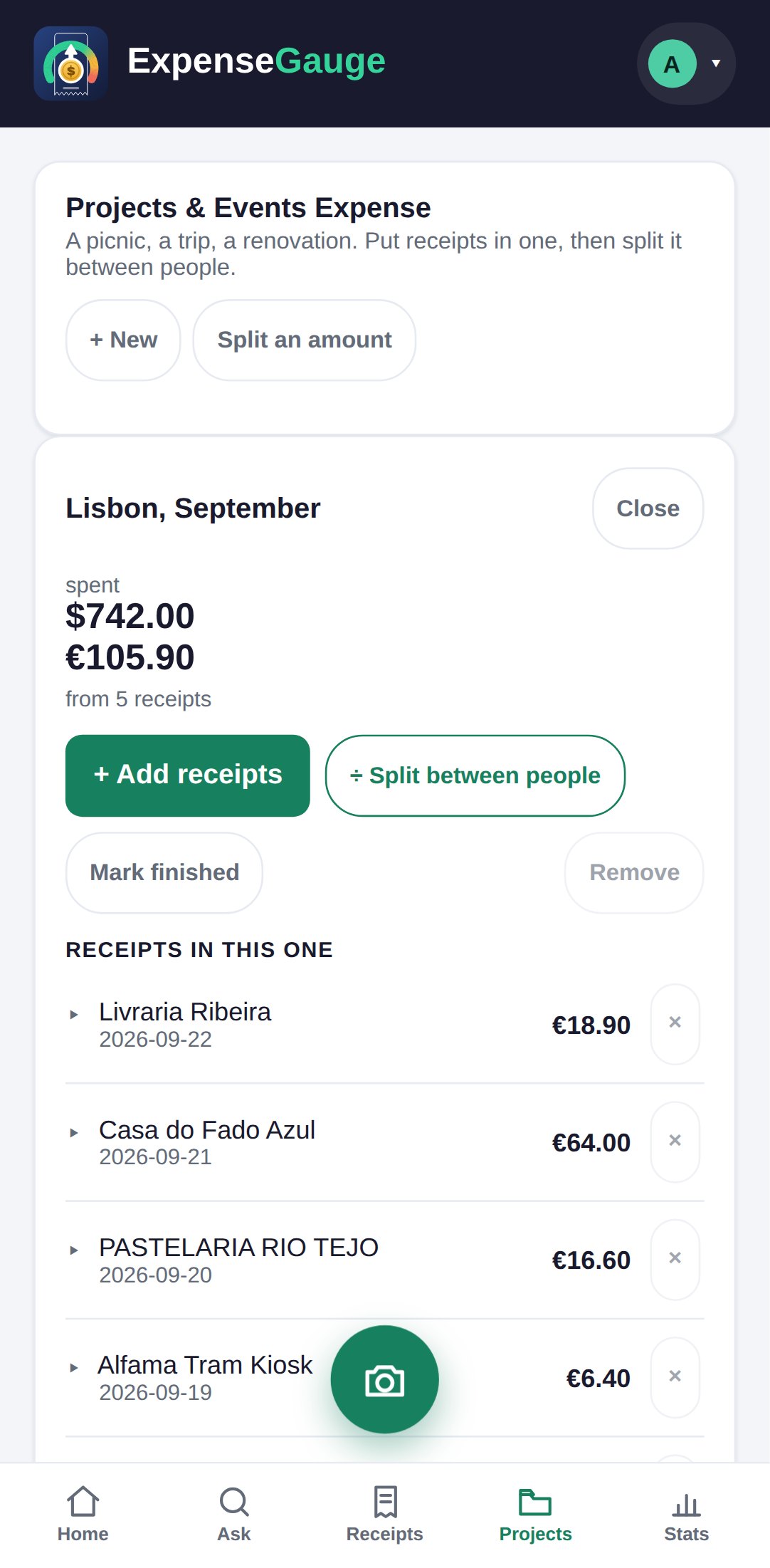
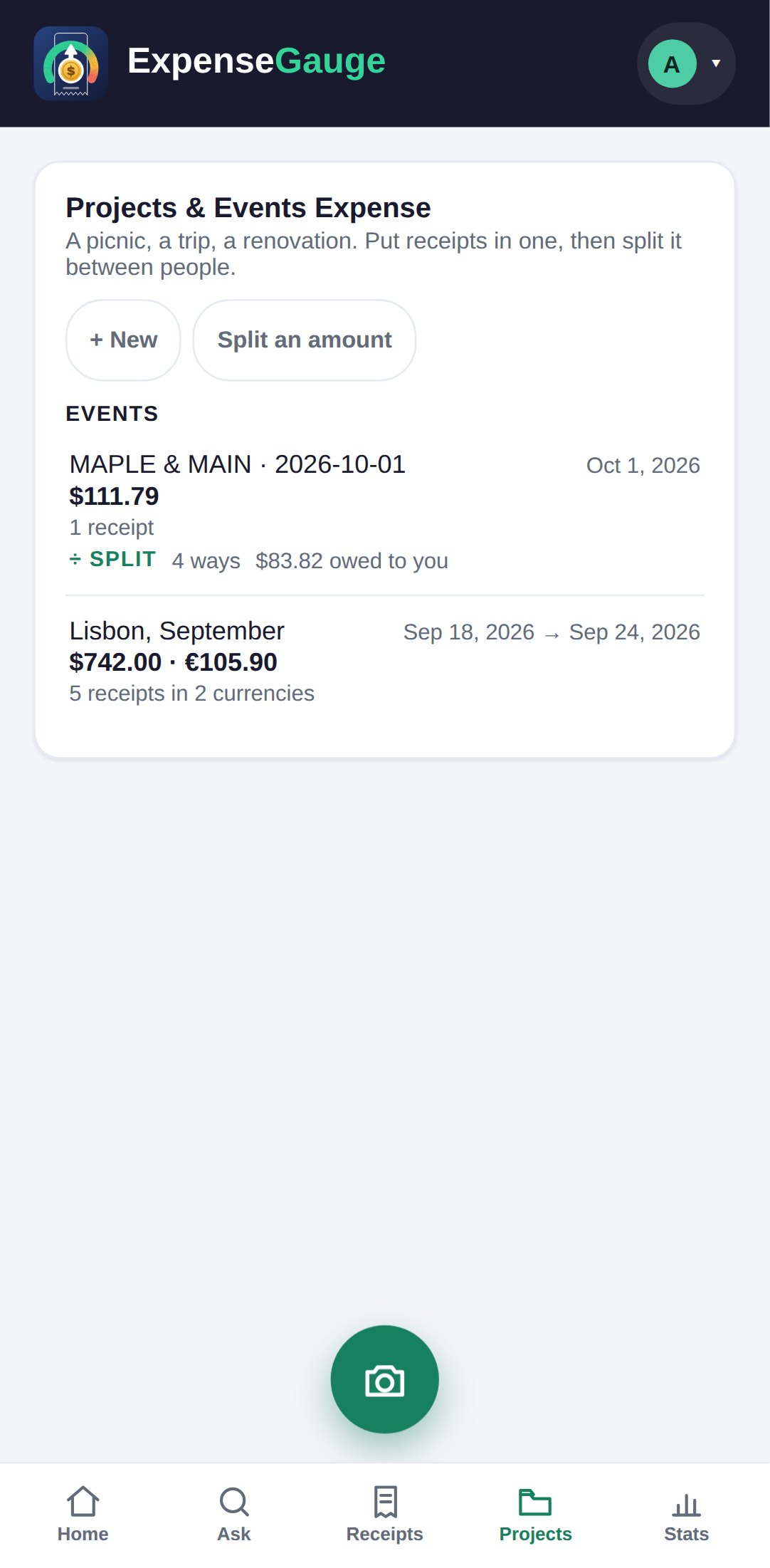
Some spending belongs together and should be seen together. A project is a bag for those receipts: a trip, a kitchen, a wedding. It has its own total, its own budget if you want one, and it keeps every currency it was spent in apart.
No password. You sign in with a six-digit code sent to your email. The free plan is not a trial — see pricing.
How it works
Make one, fill it, read it.
Make a project
On the Projects tab, tap + New, name it, and say what it is — a trip, an event or something else. Give it dates and a budget if you like.
Put receipts in
Open the project and tap Add receipts, then tick the ones that belong. Untick to take one out. A receipt can also be put in a project from the receipt itself.
See what it cost
The project adds up what is in it, in each currency, and keeps a box for notes. Mark it finished when it is over.
Two currencies, never blended
The euros stay euros.
A trip is the case that breaks most budgeting apps. Convert every foreign receipt into home currency at today’s rate and you invent a number nobody paid; leave them out and the month is wrong the other way.
Here a receipt keeps the currency it was printed in. A project with a flight paid in dollars and dinners paid in euros shows both totals side by side — what the trip cost in the money you actually spent — and the rest of your books are not distorted by it.
Good for
Anything with a beginning and an end.
A trip
Flights, hotels and every coffee abroad, in the currencies they were paid in.
A renovation
Every trip to the hardware store, against the budget you gave the kitchen.
An event
A wedding, a birthday, a party — and, if the cost is shared, split it from the same screen.
A side project
The receipts for one piece of work kept together, ready to hand over or claim back.
Straight answers
Common questions
Can a project have its own budget?
Yes. Give it a figure when you make it or later, and the project shows what has been spent against it.
What happens to receipts in different currencies?
Each keeps the currency it was paid in, and the project shows one total per currency. They are never added together at a rate somebody made up.
Can I split a project with other people?
Yes. A project can be split between people from its own screen, with who owes what worked out. See splitting expenses.
Does a receipt in a project still count in my month?
Yes. A project is a way of seeing receipts together; they still count in the month they were paid.
Where next
Start a project for the next trip.
Make it before you go, and every receipt from the trip has somewhere to land.
Read next: Splitting expenses · Receipts from a trip abroad · The receipt scanner