How to use · Your money
Fixed costs: rent, bills and subscriptions
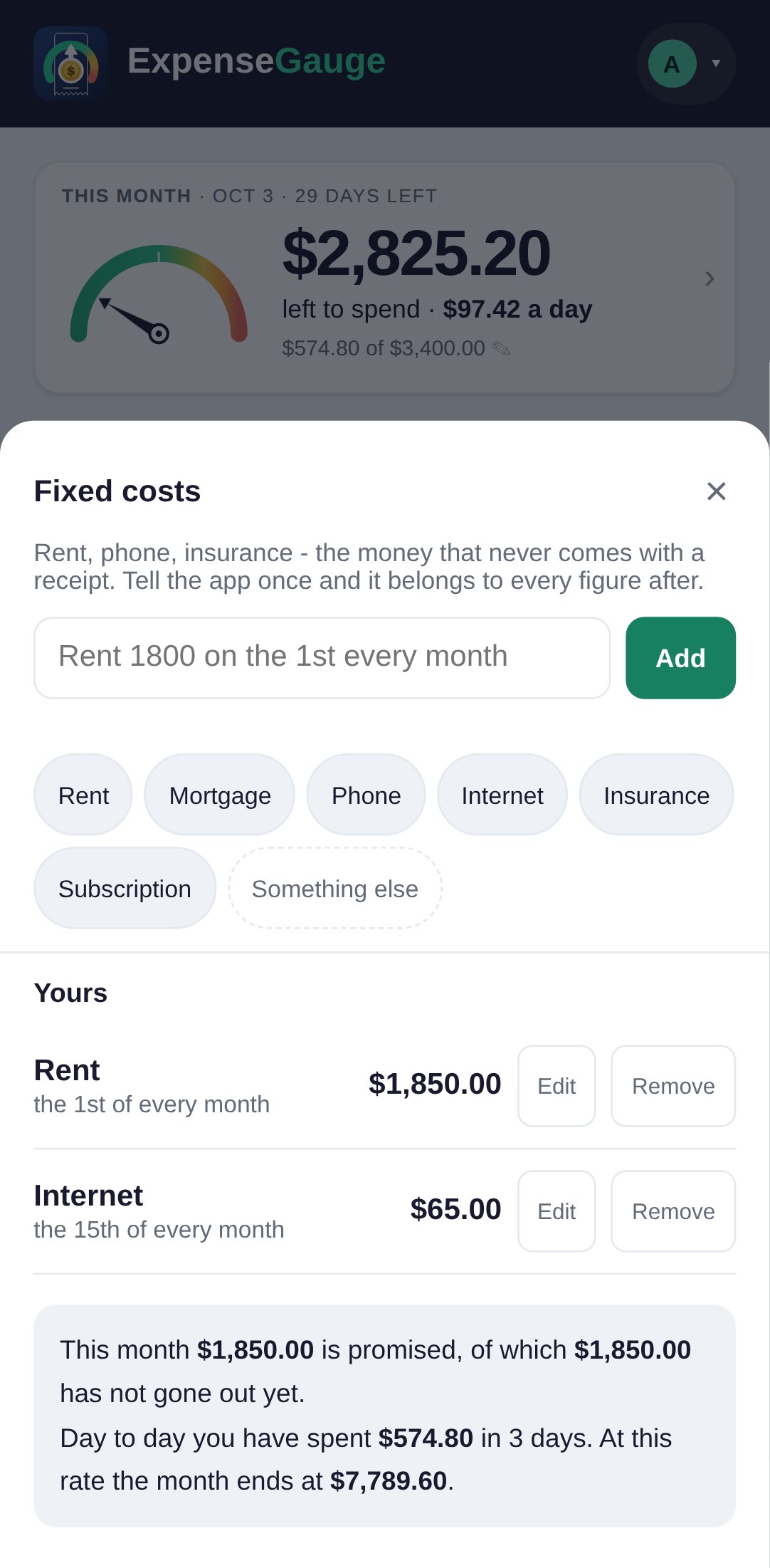
Rent, the phone, insurance - money that goes out every month and rarely comes with a receipt.
- Tell the app once: tap your name at the top right, then Fixed costs. Type a line such as Rent 1800 on the 1st every month, or tap one of the ready buttons. The app also suggests the ones it can see in your receipts.
- When a payment arrives that is clearly one of them - the name fits, the amount and the day are right - it is counted as that fixed cost, once, and the app tells you so. When it only might be, the app asks you once, on the screen you are on, and remembers your answer for that shop.
- On any receipt, Fixed cost lets you choose which one it pays, or none.
What is still to come this month is set aside from what is left to spend on the home screen.
More about this: Rent, bills and subscriptions
Your money